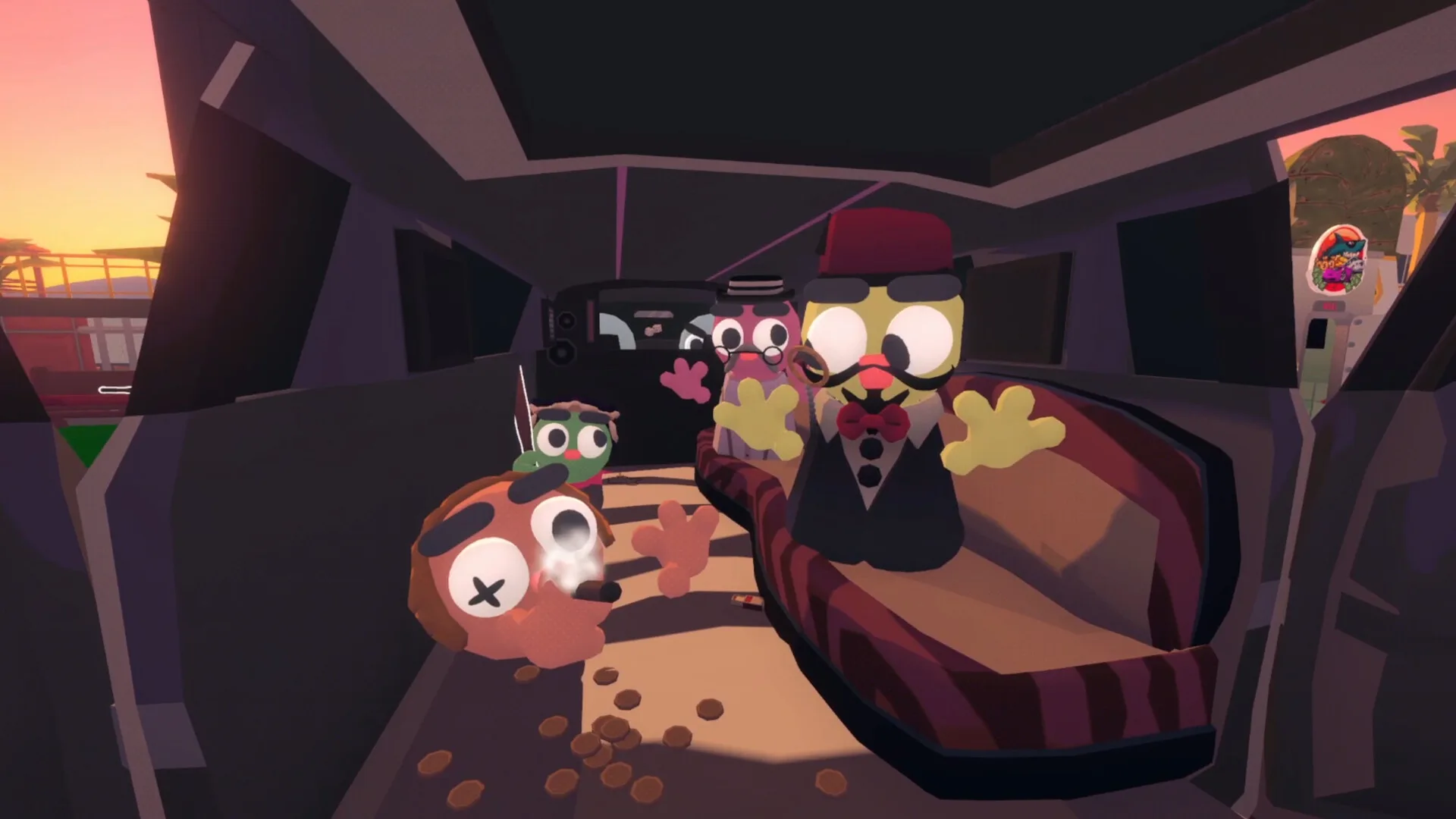

How to Play Gamble With Your Friends Online
A Steam-focused guide to friends-only sessions, PC requirements, shared resources, and troubleshooting boundaries.
 Category media
How to Play Gamble With Your Friends Online
A Steam-focused guide to friends-only sessions, PC requirements, shared resources, and troubleshooting boundaries.
On this page
Gamble With Your Friends online is a multiplayer casino game released on May 1, 2026, for Windows PC through Steam. Developed by TEAM GWYF and published by TENSTACK, the game supports 1-6 players in an online friends-only co-op mode. This article provides a detailed explanation of how the online access and multiplayer features work, along with gameplay mechanics and essential tips to get started.
Playing Gamble With Your Friends online involves inviting up to five friends to join a session, with a total of one to six players allowed. While solo play is technically possible, the official Steam store advises against it. The game centers on a shared bank account and a collective debt, requiring players to cooperate to meet a daily loan-shark quota within the casino environment. Each in-game day lasts five minutes, during which players explore four distinctly themed floors hosting randomized games of chance.
Continue with the multiplayer guide and Steam platform guide for the surrounding route and system context.
Connecting to Gamble With Your Friends Online
To play Gamble With Your Friends online, you must have the game installed on a Windows PC via Steam. The official release supports Windows 10 and later, with minimum and recommended hardware specifications detailed below. Multiplayer sessions are strictly friends-only, which means players invite friends via Steam to join their session.
| Requirement | Minimum Specification | Recommended Specification |
|---|---|---|
| Operating System | Windows 10 | Windows 11 |
| Processor | Intel Core i5 6600 | Intel Core i7 8700 |
| RAM | 8 GB | 8 GB |
| Graphics Card | NVIDIA GTX 970 | NVIDIA GTX 1070 |
| DirectX Version | DirectX 11 | DirectX 12 |
| Storage | 3 GB | 3 GB |
| Network | Broadband Internet | Broadband Internet |
Friends-only multiplayer means that the documented multiplayer mode is friends-only rather than an open public-lobby listing. Instead, you must send invitations to your Steam friends, who can then join your game session. This setup ensures a controlled environment focused on cooperative gameplay.
Core Multiplayer Features and Gameplay Mechanics
Gamble With Your Friends online supports from one to six players, with a shared bank account and shared debt. This means all players contribute to and draw from the same pool of money and debt, creating a cooperative challenge to meet loan-shark quotas.
Each in-game day lasts exactly five minutes inside the casino, during which players attempt to complete tasks and play games to reach a quota. Success brings Tickets, an in-game currency used to purchase sketchy items and cosmetics. The casino is divided into four floors, each with a unique theme and a randomized selection of 17 games of chance.
| Feature | Description |
|---|---|
| Player Count | 1-6 players (friends-only multiplayer) |
| Shared Bank Account | One bank account shared among all players |
| Shared Debt | One debt balance shared among all players |
| In-Game Day Duration | 5 minutes per day inside the casino |
| Casino Floors | Four themed floors with randomized games |
| Number of Games | 17 games of chance |
| Tickets | Earned by hitting quota, completing challenges, or selling body parts |
Proximity voice chat is integrated, allowing players near each other in the virtual casino to communicate naturally, enhancing cooperation and social interaction. The game also features many emotes and customization options to personalize player avatars.
Pre-Session Checklist for Smooth Online Play
Before starting a session to Gamble With Your Friends online, following a checklist can help ensure a smooth multiplayer experience:
| Checklist Item | Description |
|---|---|
| Confirm Steam Installation | Verify the game is installed and updated on Windows PC |
| Verify Internet Connection | Ensure broadband internet is active and stable |
| Add Friends on Steam | Make sure your friends are added on Steam |
| Send Friends-Only Invitations | Use Steam to invite friends for a multiplayer session |
| Check Hardware Meets Specs | Confirm your PC meets minimum or recommended specs |
| Set Up Voice Chat | Enable proximity voice chat or other communication tools |
| Customize Controls and Audio | Adjust camera comfort, volume, and stereo settings |
The game supports Steam Cloud saves, Steam Achievements (55 total), and Family Sharing. It also runs on Steam Deck with a playable status, offering flexibility for different hardware setups.
In-Game Economy and Progression
The shared bank and debt introduce a unique cooperative dynamic. Players must work together to meet the loan-shark quota each day. The store warns of consequences for missing quota but does not document the exact debt change.
Tickets are a crucial resource earned by:
- Hitting daily quota
- Completing in-game challenges
- Selling body parts
Tickets can be spent on over 15 sketchy items and cosmetics, allowing players to customize their experience and use the sketchy items that the store says can bend the odds. However, the game explicitly states on the store page that it does not condone real gambling.
| Currency Type | Method of Acquisition | Usage |
|---|---|---|
| Tickets | Meeting quota, challenges, selling | Buying sketchy items and cosmetics |
| Shared Bank Money | Collective pool for bets and debts | Managing group finances |
This economy encourages strategic cooperation among players to optimize resource use and maximize fun during the five-minute casino days.
Technical Notes and Troubleshooting Boundaries
Gamble With Your Friends online requires a stable broadband connection and a compatible Windows PC. While the game provides proximity voice chat and customizable settings for camera comfort, volume, and stereo sound, it does not include Quick Time Events, which may reduce input complexity.
The official store does not provide detailed technical troubleshooting steps but does specify the minimum and recommended system requirements. The collected store page does not provide game-specific fixes for connectivity, voice chat, or invitations, so avoid treating generic troubleshooting as an official solution.
- Potential Issue: Connection Drops; Suggested Boundary or Advice: Ensure broadband internet and minimal network usage
- Potential Issue: Invitation Failures; Suggested Boundary or Advice: Confirm friends are on Steam and online
- Potential Issue: Voice Chat Problems; Suggested Boundary or Advice: Verify microphone permissions and in-game settings
- Potential Issue: Performance Issues; Suggested Boundary or Advice: Check if system meets minimum or recommended specs
The reviewed source confirms Windows PC and friends-only multiplayer; it does not provide a broader cross-platform or matchmaking policy.
Before inviting anyone, verify the stable facts that affect access: the game is listed for Windows PC, requires broadband in both specification tiers, supports 1-6 players, and describes multiplayer as friends-only. The store says to invite up to five friends through Steam. It does not document public matchmaking, cross-platform behavior, or a separate server browser in the collected text.
A pre-session check should stay within those limits. Confirm each participant owns and can launch the current Steam build, check that the PC meets the listed minimum requirements, and agree on whether proximity voice chat will be used. If an invitation or microphone fails, record the exact symptom. Generic steps such as confirming the friend is online or checking permissions are diagnostic suggestions, not official game-specific fixes.
Once connected, the most important verified online rule is the shared bank and debt. Announce major spending, the quota, and the remaining time so a teammate is not surprised by a decision that affects the group. This does not change odds or guarantee quota completion. It simply uses the documented communication and shared-resource systems more deliberately.
If the session launches successfully, keep diagnosis separate from strategy. Connection status, invitation state, voice-chat behavior, and game performance are technical observations; quota and spending choices are gameplay decisions. Mixing them makes a report harder to reproduce.
FAQ
Q: Can I play Gamble With Your Friends online solo? A: Solo play is possible but not advised according to the official Steam store. The game is primarily designed for 1-6 players in friends-only multiplayer.
Q: How many players can join an online session? A: Up to six players can join a friends-only multiplayer session, with invitations sent via Steam.
Q: Is there voice chat available in the game? A: Yes, there is proximity voice chat that allows players near each other to communicate naturally.
Q: Are the casino floors and games the same every session? A: No, the four themed floors have randomized games on entry, ensuring varied gameplay each session.
For more details and to purchase the game, visit the official Steam page for Gamble With Your Friends.
Next steps
Continue with the most useful related pages.
Need help?
Return to the beginner guide to confirm the core systems and recommended route.